
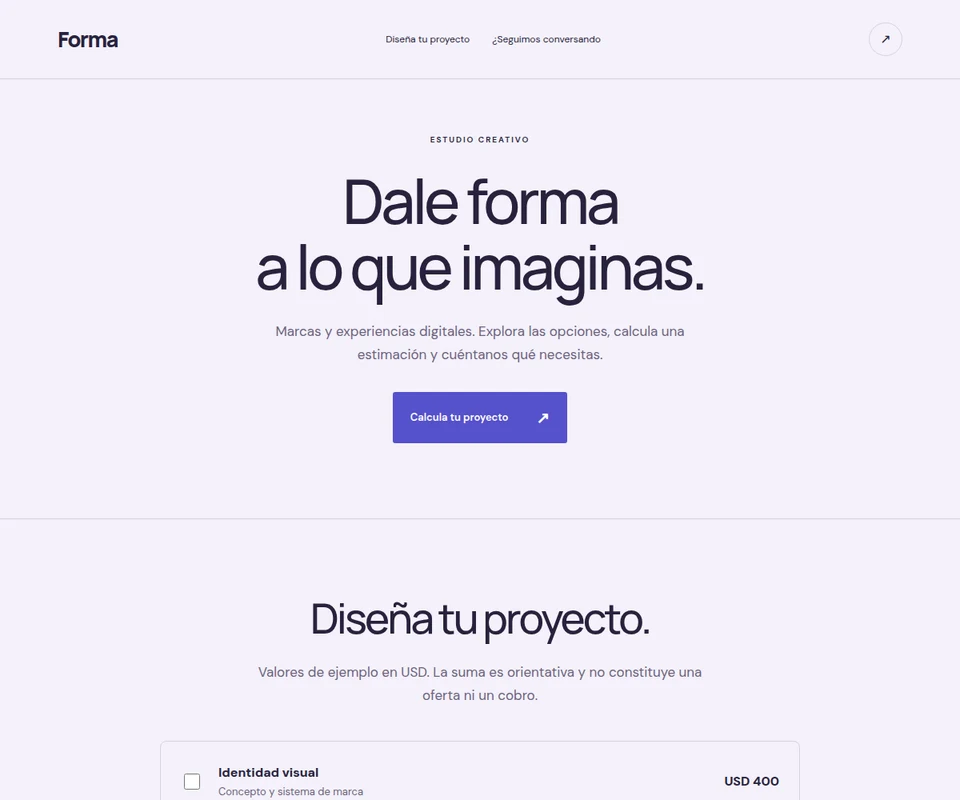
A page can do more than collect links. When someone needs to find a product, estimate a combination of services or ask a question, a small interactive feature can help them take that next step.
The Linkmas studio supports searchable catalogs, quote calculators that add selected options and contact forms. Choose the feature that serves your visitor instead of adding everything at once.
A catalog that helps people find an option
A catalog presents items with names, descriptions and pictures. Its search field filters products. It works for a collection of pieces, a menu or a selection of services. Clear names and distinct descriptions make it easier to browse.
Add a catalog for my indoor plants. Use these three names and descriptions, and leave room for my own photos. Include product search. Do not invent prices or availability.
Test a full name, part of a name and a word with no matches. Check a long item title on mobile. If an item links to WhatsApp or an external shop, verify that destination before publishing.
The catalog does not include a cart, payment processing or synchronized stock. Use an external purchase link when needed and explain where the transaction will take place.
A calculator for a simple estimate
The calculator adds the values of selected options. It can show an estimate for services, package additions or project components. State the currency and explain whether the result is an estimate rather than a binding offer.
Create a quote calculator for my creative services. Clearly label these as sample USD values: visual identity 400, landing page 600 and photography 200. Add the selected options and include a contact form. Do not present the result as a payment.
Replace those sample values with your real terms. Test each option and several combinations: 400 plus 200 should show 600. Also check the result with nothing selected.
This is an option-summing calculator, not a tax engine or an integrated checkout. Explain any conditions that need a separate conversation before confirming a real quote.
A form that saves inquiries privately
A contact form collects visitor details and a message. Submissions appear privately in the project’s studio panel. They are not published on the page or automatically sent by email.
Submit a test from the public page, check the confirmation and find it in the studio. Remove it afterward so it does not look like a real inquiry. Ask only for information you need and explain how you will use it.
Combine features around one clear action
A catalog followed by a form lets someone browse and then ask. A calculator before the contact section gives a service inquiry more context. Keep the page short enough to understand on a phone.
These miniapps run within a hosted Linkmas page. They do not create native apps, custom databases, booking systems or full online stores. You can link to those services when you already use them.
Explore the editable Forma and Verde examples for a calculator and a catalog. They are demonstrations, not customer websites. For the whole creation flow, read the first-website guide.